Quick answer: Since 10 November 2026, businesses can claim a free ChatGPT business profile through OpenAI's Business Hub (chatgpt.com/business-hub). A claimed profile lets you correct how ChatGPT describes your business, earn a verified tick and see how often ChatGPT sends people to your website. It's in beta, and most businesses outside the US, including New Zealand businesses, should expect to join a waitlist first.
Kiwi customers aren't just Googling anymore. They're asking ChatGPT for the best café in Ponsonby, a reliable sparky in Christchurch or a local accountant in Tauranga. OpenAI's new Businesses in ChatGPT feature gives NZ business owners a way to take control of those answers. Think of it as Google Business Profile for the AI era. Here's what it is, why it matters and exactly how to claim yours.
What is a ChatGPT business profile?
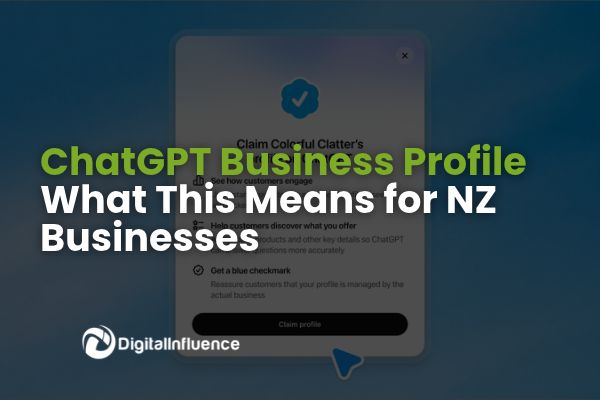
A ChatGPT business profile is the official listing ChatGPT uses when it mentions or recommends your business. Until now, ChatGPT built its picture of you from whatever it could find: your website, articles, reviews and even Reddit threads. Now you can supply the facts directly.
Everything is managed through a new dashboard called Business Hub (chatgpt.com/business-hub). Once verified, you can:
- Update your details: website, description, category, logo, contact details, plus delivery and return policies if you sell products.
- Earn a blue verified tick: it appears once OpenAI approves your claim and identity check.
- See your AI visibility: 28 days of data on website clicks from ChatGPT, how often you're mentioned and the topics people discover you through.
- Connect products: retailers can upload a product feed with prices and stock, or sync a Shopify store.
- Launch a Business Agent (US only for now): an AI sales rep inside ChatGPT that answers questions about your products and policies.
It's free to claim and manage your profile at launch, and you don't need an enterprise plan or ad account.
Why a ChatGPT business profile matters for NZ businesses
ChatGPT reaches 1.2 billion people a week. That's a huge audience asking for recommendations, and right now many businesses have no say in what it tells them.
- Accuracy you control. Outdated hours, a wrong address or an old description can cost you customers. A claimed profile lets you feed ChatGPT the correct facts straight from the source.
- Trust at a glance. The blue verified tick tells customers the information comes from you, not a third-party guess.
- Finally, AI search data. For the first time you can see how often ChatGPT mentions you, how many clicks it sends to your website and which topics lead people to you. That's gold for planning content and campaigns.
- Protect your brand. If you don't claim your listing, someone else could try. Getting in early secures your profile.
- First-mover advantage. It's in beta and free. Businesses that set up now will learn what works before their competitors catch on.
One honest caveat: OpenAI says claiming a profile doesn't guarantee higher placement or more sales. ChatGPT still makes independent recommendations. Think of your profile as the foundation, not the whole strategy.
How to claim your business on ChatGPT in New Zealand
Set aside 20 to 30 minutes. Before you start, have these ready:
- The ChatGPT account you want as the admin (any plan works, including free). Use a monitored email, ideally a shared office address, as that's where OpenAI will contact you.
- Access to your business phone, business email, website DNS settings or Shopify login
- Government-issued photo ID, such as your NZ passport or driver licence
- Your legal business name, address and registration details exactly as they appear on official records. Have your NZBN and Companies Office details handy.
Step-by-step:
- Open Business Hub. Go to chatgpt.com/business-hub or find it in the ChatGPT sidebar.
- Find your business. Search your business name plus your suburb or town (for example, "Smith Plumbing Ponsonby"), then select the listing that matches your exact street address. Watch out for old or closed locations showing up first.
- Start your claim. Click Get started and confirm you're authorised to represent the business. If you see Join waitlist, join it. OpenAI will email you when you can continue.
- Verify ownership. Choose from the methods ChatGPT offers you: a code by text or call to your business phone, a code to your business email, a TXT record added to your website's DNS, or logging in to Shopify.
- Verify your identity. Complete a quick check with Persona, OpenAI's verification partner. It may ask for ID, business registration information and evidence that you represent the business.
- Complete your profile. Once approved, you'll get your blue tick and can edit your details. Fill in every field and double-check everything, as published profiles can't be deleted or hidden.
- Add your team. Invite a second admin, or your agency, so access doesn't rely on one person. Each person uses their own ChatGPT account.
Good to know:
- Expect a waitlist for now. Business Hub is in beta, and eligibility depends on location, industry and verification checks. In early testing across the Tasman, every Australian business tried was waitlisted. NZ businesses should expect the same, so join now to secure your spot.
- Business Agents are US-only. The AI sales agent feature isn't available to NZ businesses yet.
- Search before you create. Only use the Create option if nothing matches, as duplicate listings are harder to fix.
- Someone already claimed it? Open the profile, select the ••• menu and choose Dispute ownership.
- Multiple brands or locations? Each one is claimed, or waitlisted, separately.
- Don't fudge your business type to skip the waitlist. Accuracy matters.
How to optimise for ChatGPT: 7 tips for NZ businesses
- Keep your details identical everywhere. Your name, address (including unit numbers) and phone should match across your website, Google Business Profile, Apple Maps, Bing Places, Facebook and NZ directories like Finda and Yellow. ChatGPT cross-checks these sources, so consistency builds confidence.
- Clean up old listings. Close or remove listings for old addresses so ChatGPT doesn't send customers to the wrong place.
- Keep your hours current. Update trading hours for public holidays like Matariki, Waitangi Day and the Christmas shutdown.
- Name the places you serve. Mention your suburb, town and region on your website and profile, for example "serving Hamilton and the wider Waikato". AI tools answer location-based questions, so make your service area clear.
- Make your website crystal clear. For online businesses, ChatGPT only counts a mention when it references your website. Clear service pages, an FAQ page and an up-to-date About page all help AI understand and recommend you.
- Keep fresh reviews coming in. Recent, genuine reviews on Google and other platforms shape how AI tools describe you. Make asking for reviews part of your routine.
- Check your insights monthly. Once you're in, use the 28-day dashboard to see which topics bring people to you, then build content and offers around them.
ChatGPT business profile FAQs
Can New Zealand businesses claim a ChatGPT business profile?
Yes, NZ businesses can search Business Hub and start a claim. It's in beta, so many businesses outside the US are being placed on a waitlist. OpenAI emails you when you can finish verifying.
How much does a ChatGPT business profile cost?
It's free. OpenAI hasn't announced a fee to claim or manage a profile, and you don't need a paid ChatGPT plan. ChatGPT Ads are a separate paid product.
How long does it take to claim my business on ChatGPT?
The hands-on work takes about 20 to 30 minutes. Approval can take minutes or longer, and waitlisted businesses must wait for an email from OpenAI.
Will claiming my profile get me recommended more often?
Not automatically. OpenAI says claiming doesn't guarantee higher placement or more sales. It makes sure ChatGPT has accurate information when it does mention you.
Is a ChatGPT business profile the same as Google Business Profile?
No. They're separate, but they work together. ChatGPT cross-checks sources like your Google Business Profile, so keep both accurate and consistent.
Can my marketing agency manage my ChatGPT profile?
Yes. Once you're the admin, you can invite teammates and agencies through Business Hub. Each person uses their own ChatGPT account.
Don't get left behind in AI search
AI search isn't coming, it's here. Claiming your ChatGPT business profile is one of the quickest, cheapest wins available to NZ businesses right now. Even if you're waitlisted, joining today and tidying up your listings means you'll be ready the moment access opens.
Need a hand claiming your profile or building an AI search strategy? Get in touch with the Digital Influence team and we'll help you show up where your customers are asking.